
The Portable “Encrypted File Safe” for Business Professionals
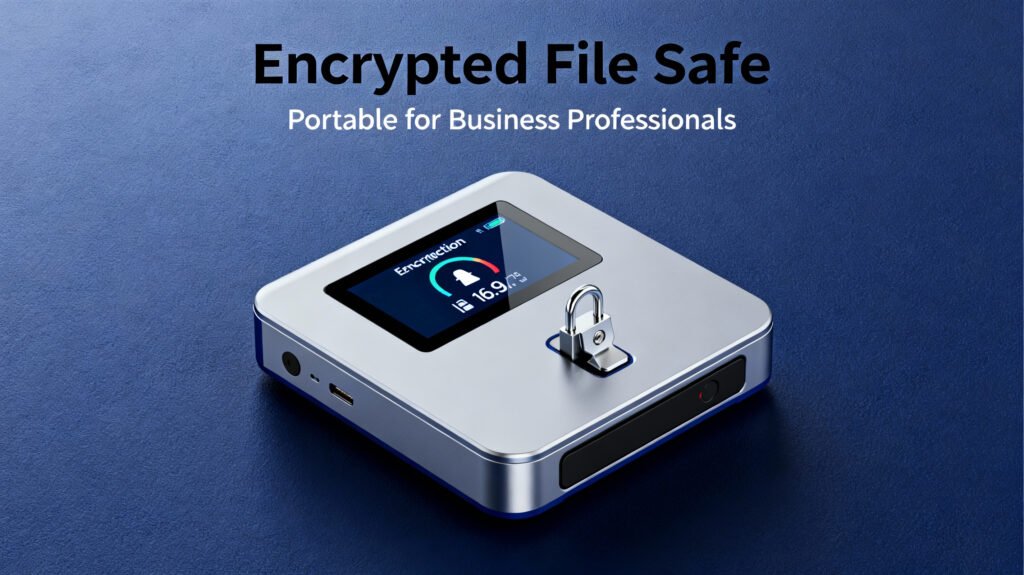
In today’s mobile-first work environment, business professionals are constantly shifting between meetings, commutes, business trips, collaboration sessions, and cross-regional engagements. The real challenge is not time management—it is securing files and ensuring they are always accessible.
Every day, we face familiar problems:
• Your files are on the office computer, but you are out of town.
• Your phone has no storage left, yet you need to save important documents.
• Sending files via chat apps leads to compression; email attachments are too slow.
• Uploading contracts, quotations, or sensitive documents to public clouds feels risky.
• Transferring files across devices is slow and tedious.
That is why more and more business professionals are seeking a solution that requires no hardware, no cloud uploads, no storage limits, offers on-demand access, and guarantees full security and data ownership.
Mobilink delivers exactly that.
1. Turn Your Computer Into a Portable “Encrypted File Safe”
Business professionals fear one thing above all: data leakage.
Contracts, quotations, bid documents, customer lists—any leak can cause serious losses.
Mobilink provides the capability to turn your devices into a fully private cloud:
• No NAS hardware needed
• No uploads to third-party cloud servers
• Your local drives become your personal encrypted cloud
Details: Mobilink Secure Private Cloud
Your data never goes through public servers.
When you access a file, transmission occurs.
When you don’t, nothing is stored anywhere else.
For professionals, this means one thing:
You control your data—not the platform.
For additional context on data security risks, see this external reference:
NIST: Guide to Protecting Sensitive Information
https://csrc.nist.gov/publications
2. Access All Files on Your Computer—Anywhere, Anytime
Common real-world scenarios:
• You are in a meeting and suddenly need an old contract version.
• A client requests a document that’s sitting on your desktop.
• You are at an airport on a business trip but the needed file is at the office.
• You take a photo and want it instantly saved to your computer.
Mobilink makes all of this effortless:
As long as your computer is online, you can access all your files from anywhere.
• Access office files while traveling
• Retrieve documents from home when your workstation is at the company
• Share materials with colleagues instantly during meetings
• Browse your entire computer from your phone (photos, PDFs, PPTs, ZIPs, and more)
No more USB drives.
No VPN.
No emailing files back and forth.
3. Business-Grade File Sending and Receiving—Optimized to the Extreme
One of the most frequent tasks for business users is file transfer.
But typical methods are frustrating:
• Messaging apps compress files
• Email has size limits
• Drafts change at the last minute
• Collaboration requires multiple rounds of sharing
• Cross-platform transfer is cumbersome
• Public clouds introduce speed limits and data-exposure risks
Mobilink solves all of these:
High-speed, peer-to-peer transmission
No compression. No throttling. No server relay.
Your file travels directly:
Your device → Recipient’s device.
Mobilink also offers features tailored for business workflows:
• Take photos and send them directly to your computer (without saving to your phone gallery)
• Capture and send videos instantly, without metadata exposure
• Offline sending—recipients receive the file when they come online
• Fast transfer of large files—even gigabytes—within seconds
• Fully encrypted channels that remain indecipherable even if intercepted
For professionals constantly exchanging files with clients or partners, Mobilink is a powerful efficiency booster.
4. Business-Grade Security: Ensuring Files Never Leave Your Control
Most cloud storage and collaboration tools follow this logic:
“Upload your files to us, and we will store them.”
But this means the platform, in theory, can access your data.
Mobilink takes the opposite approach:
Your files never leave your device.
No one else can access them.
• No server uploads
• No caching
• No content analysis
• No traceable logs
For business users who prioritize governance and risk control, the key questions are:
Where are the files?
Who can access them?
Where are the security risks?
Mobilink’s answer:
Your files always remain under your control.
5. Tangible Value for Business Professionals
1. A secure file-management framework
Sensitive documentation no longer needs to be entrusted to third-party cloud services.
2. Always-on remote access
One application solves cross-region file access.
3. More efficient workflows
Capture scans instantly, sync across devices, and respond to client requests faster.
4. Significant cost reduction
No NAS hardware and no cloud-storage subscription fees.
No storage limits. No speed limits.
5. Zero mobile storage pressure
Your phone no longer needs to store large amounts of files.
6. Real Scenarios From Business Use Cases
1. During business travel
Your office computer stays at the company, but you can pull files anytime—without asking colleagues for screenshots or ZIP files.
2. At contract-signing meetings
A client asks for an older version of a contract—just retrieve it on your phone.
3. During project discussions
Send proposals, price quotes, and design files instantly—no compression and no cloud links.
4. For temporary scans
Take a photo → auto encrypted → instantly sent to your computer
No traces in your phone gallery.
5. For internal management
Files never leave your computer and follow internal compliance workflows more naturally than cloud tools.
Summary: Mobilink Is the “Encrypted File Safe” Business Professionals Truly Need
In the business world, files are assets.
Whoever controls the assets controls both security and efficiency.
Mobilink is not a traditional cloud-storage product. It is:
• An encrypted file safe you can carry everywhere
• Your own private cloud
• A globally accessible file center
• The ideal companion for business travel
• A fast, stable, secure file-transfer system
And most importantly:
• No cloud storage required
• No hardware purchase needed
• Complete data ownership
This is Mobilink.